In this tutorial, Today I will explain to how to setup PWA in Magento 2.3. PWA stands for Progressive Web Application which was originally talked about by Google back in 2015. It uses modern web technologies and design patterns to provide a reliable, fast, and engaging user experience.
You may also like this :
- How to Use Grunt in Magento 2
- How to Enable and Generate CSS Critical Path in Magento
- Different ways to Magento 2 Page Speed Optimization
Prerequisite :
Note : Make sure your Magento version is 2.4.x. It would be better if you use Magento 2.4.2. Otherwise, you will face issue related of some graphqls.
First of all, Check that node is exist in your system or not.
[dm_code_snippet background=”no” background-mobile=”no” slim=”no” line-numbers=”no” bg-color=”#fff” theme=”dark” language=”shell” wrapped=”no” height=”” copy-text=”Copy Code” copy-confirmed=”Copied”]
node -v
[/dm_code_snippet]
For check Yarn is exist in your system or not.
[dm_code_snippet background=”no” background-mobile=”no” slim=”no” line-numbers=”no” bg-color=”#fff” theme=”dark” language=”shell” wrapped=”no” height=”” copy-text=”Copy Code” copy-confirmed=”Copied”]
yarn -v
[/dm_code_snippet]
Method 1 :
1) First of all, Go to your Magento root directory and clone this below URL :
[dm_code_snippet background=”no” background-mobile=”no” slim=”no” line-numbers=”no” bg-color=”#fff” theme=”dark” language=”shell” wrapped=”no” height=”” copy-text=”Copy Code” copy-confirmed=”Copied”]
git clone https://github.com/magento/pwa-studio.git
[/dm_code_snippet]
2) Then, Go to pwa-studio directory :
[dm_code_snippet background=”no” background-mobile=”no” slim=”no” line-numbers=”no” bg-color=”#fff” theme=”dark” language=”shell” wrapped=”no” height=”” copy-text=”Copy Code” copy-confirmed=”Copied”]
cd pwa-studio
[/dm_code_snippet]
3) After that, Execute below command for install PWA studio dependency :
[dm_code_snippet background=”no” background-mobile=”no” slim=”no” line-numbers=”no” bg-color=”#fff” theme=”dark” language=”shell” wrapped=”no” height=”” copy-text=”Copy Code” copy-confirmed=”Copied”]
yarn install
[/dm_code_snippet]
Output will be like :

4) Then, you need to change Magento Backend URL from .env file. Go to /var/www/html/mg242/pwa-studio/packages/venia-concept and open .env file.
Find this below line :
[dm_code_snippet background=”no” background-mobile=”no” slim=”no” line-numbers=”no” bg-color=”#fff” theme=”dark” language=”markup” wrapped=”no” height=”” copy-text=”Copy Code” copy-confirmed=”Copied”]
MAGENTO_BACKEND_URL=https://master-7rqtwti-mfwmkrjfqvbjk.us-4.magentosite.cloud/
[/dm_code_snippet]
Replace this below line :
[dm_code_snippet background=”no” background-mobile=”no” slim=”no” line-numbers=”no” bg-color=”#fff” theme=”dark” language=”shell” wrapped=”no” height=”” copy-text=”Copy Code” copy-confirmed=”Copied”]
MAGENTO_BACKEND_URL=http://mg242.com/
[/dm_code_snippet]
Note : If your Magento instance is with https it’s good. http url is just for local instance I used.
5) After that, Go to pwa-studio directory and execute below command to build PWA :
[dm_code_snippet background=”no” background-mobile=”no” slim=”no” line-numbers=”no” bg-color=”#fff” theme=”dark” language=”shell” wrapped=”no” height=”” copy-text=”Copy Code” copy-confirmed=”Copied”]
yarn build
[/dm_code_snippet]
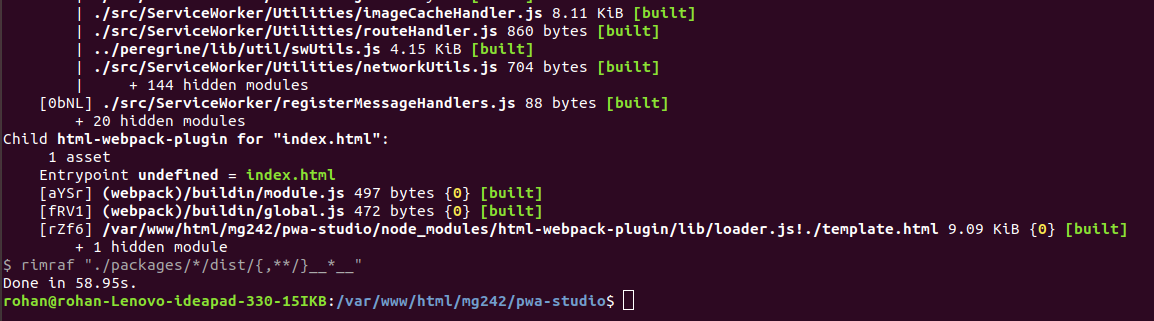
Output will be like :
6) In Last, To run pwa-studio , Go to pwa-studio directory execute below command :
[dm_code_snippet background=”no” background-mobile=”no” slim=”no” line-numbers=”no” bg-color=”#fff” theme=”dark” language=”shell” wrapped=”no” height=”” copy-text=”Copy Code” copy-confirmed=”Copied”]
yarn run watch:venia
[/dm_code_snippet]
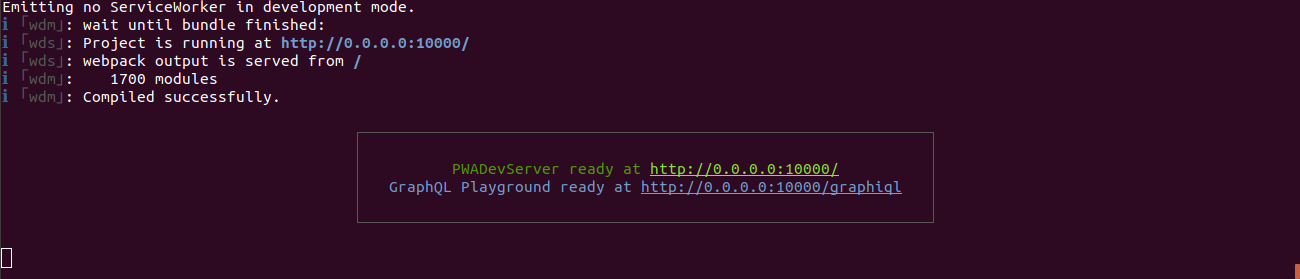
Output will be like :
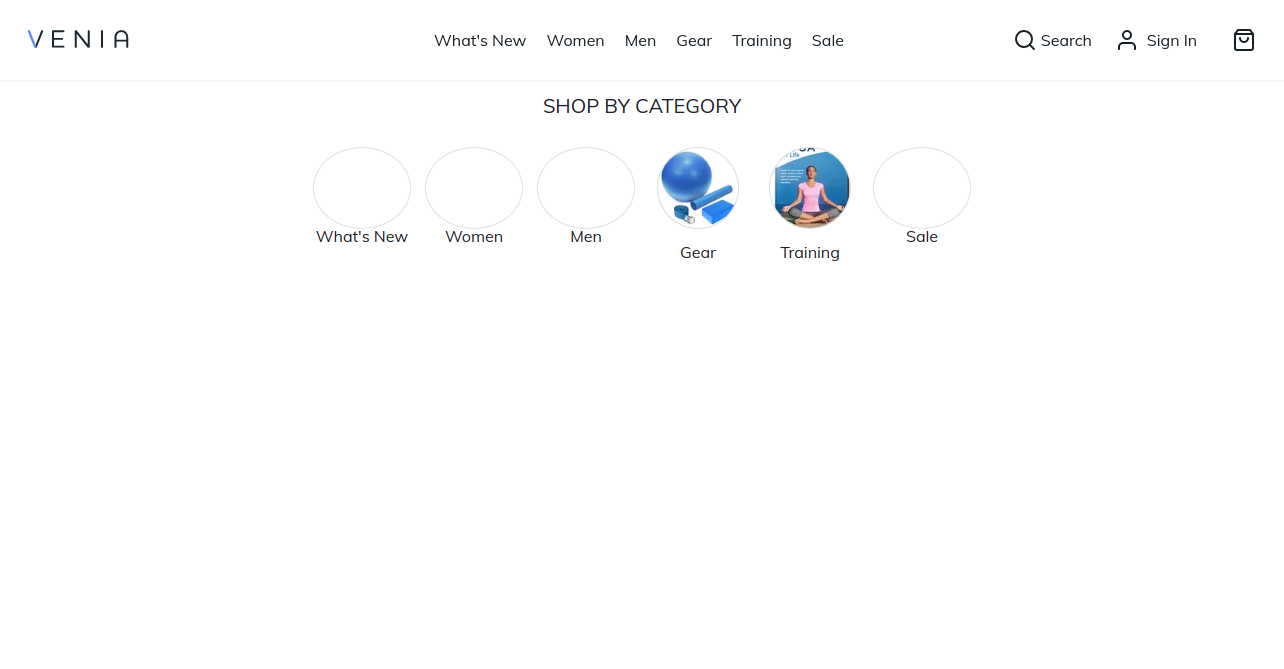
Now, Execute below url in your browser :
[dm_code_snippet background=”no” background-mobile=”no” slim=”no” line-numbers=”no” bg-color=”#fff” theme=”dark” language=”shell” wrapped=”no” height=”” copy-text=”Copy Code” copy-confirmed=”Copied”]
http://0.0.0.0:10000/
[/dm_code_snippet]
Method 2 :
1) First of all, Go to your Magento root directory and clone this below URL :
[dm_code_snippet background=”no” background-mobile=”no” slim=”no” line-numbers=”no” bg-color=”#fff” theme=”dark” language=”shell” wrapped=”no” height=”” copy-text=”Copy Code” copy-confirmed=”Copied”]
git clone https://github.com/magento/pwa-studio.git
[/dm_code_snippet]
2) Then, Go to pwa-studio directory :
[dm_code_snippet background=”no” background-mobile=”no” slim=”no” line-numbers=”no” bg-color=”#fff” theme=”dark” language=”shell” wrapped=”no” height=”” copy-text=”Copy Code” copy-confirmed=”Copied”]
cd pwa-studio
[/dm_code_snippet]
3) After that, open terminal and execute this below command from pwa-studio directory :
[dm_code_snippet background=”no” background-mobile=”no” slim=”no” line-numbers=”no” bg-color=”#fff” theme=”dark” language=”shell” wrapped=”no” height=”” copy-text=”Copy Code” copy-confirmed=”Copied”]
yarn create @magento/pwa
[/dm_code_snippet]
when running this command at that time, you can see there are some questions display on your terminal like this below screenshot :
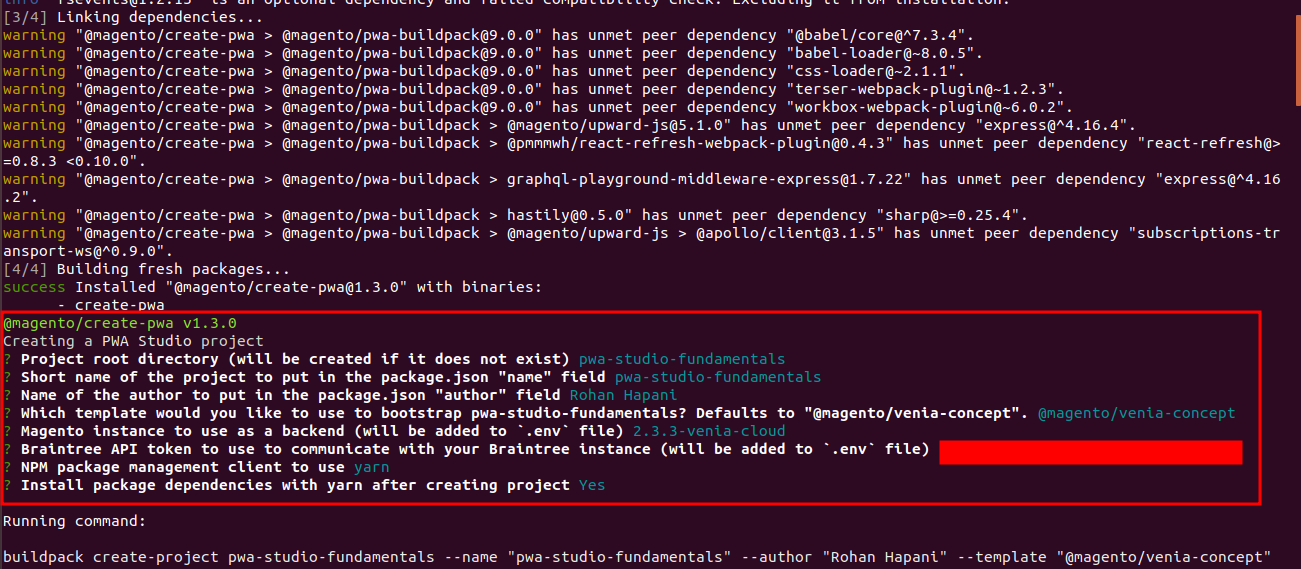
After give all question’s answer, process will be continue and after complete whole process you will see output like this below screenshot :
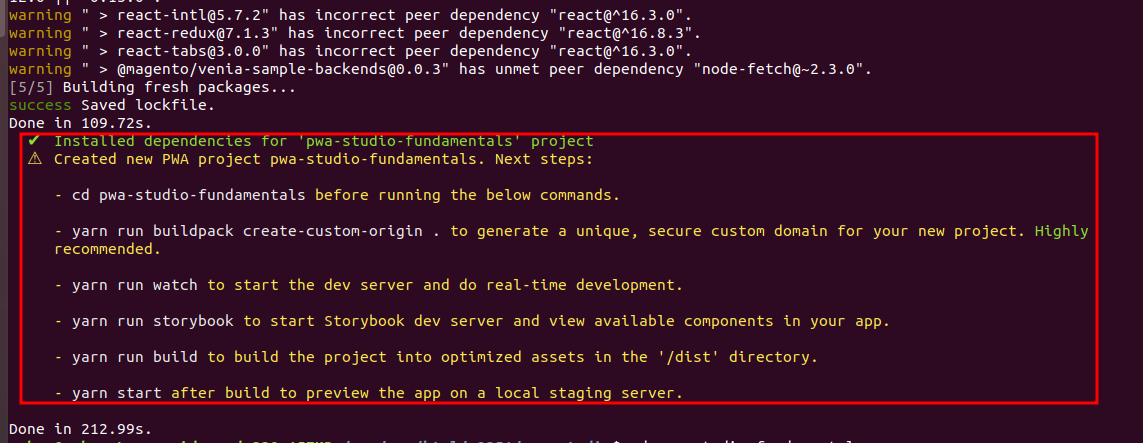
4) Then, Go to pwa-studio-fundamentals directory and execute below command :
[dm_code_snippet background=”no” background-mobile=”no” slim=”no” line-numbers=”no” bg-color=”#fff” theme=”dark” language=”shell” wrapped=”no” height=”” copy-text=”Copy Code” copy-confirmed=”Copied”]
yarn run buildpack create-custom-origin .
[/dm_code_snippet]
5) In Last, Above command execute successfully, execute this below command :
[dm_code_snippet background=”no” background-mobile=”no” slim=”no” line-numbers=”no” bg-color=”#fff” theme=”dark” language=”shell” wrapped=”no” height=”” copy-text=”Copy Code” copy-confirmed=”Copied”]
yarn watch
[/dm_code_snippet]
You can see url of pwa in your terminal after execute command
[dm_code_snippet background=”no” background-mobile=”no” slim=”no” line-numbers=”no” bg-color=”#fff” theme=”dark” language=”shell” wrapped=”no” height=”” copy-text=”Copy Code” copy-confirmed=”Copied”]
https://pwa-studio-fundamentals-bo-y7.local.pwadev:8118/
[/dm_code_snippet]
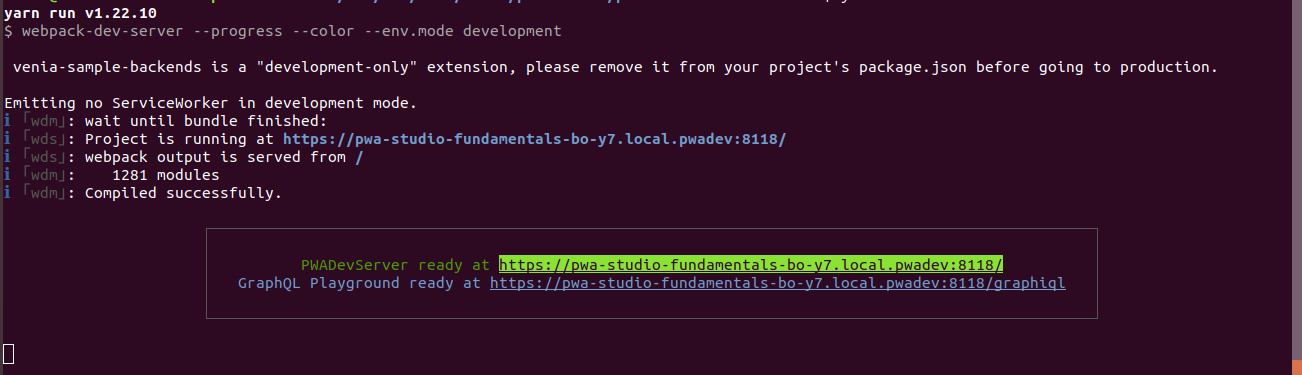
That’s it !!!
Now, execute that URL in your browser.
Output :

Note : Make sure you have created virtual site of your magento instance or you have running your Magento instance using localhost.
I hope this blog is easy to understand how to setup PWA in Magento 2.3.In case, I missed anything or need to add some information, always feel free to leave a comment in this blog, I’ll get back with a proper solution.
Stay Safe and Stay Connected !!